What's New in ChatML — March 2026
Image paste, per-message costs, 1M context windows, fast mode, instant session switching, and 25+ performance improvements since v0.1.15.
Marcio Castilho
ChatML Team
We shipped ChatML v0.1.15 just a week ago. Since then, we've landed roughly 90 commits — new features, 25+ performance improvements, and a wave of UX polish. Here's everything that's new.
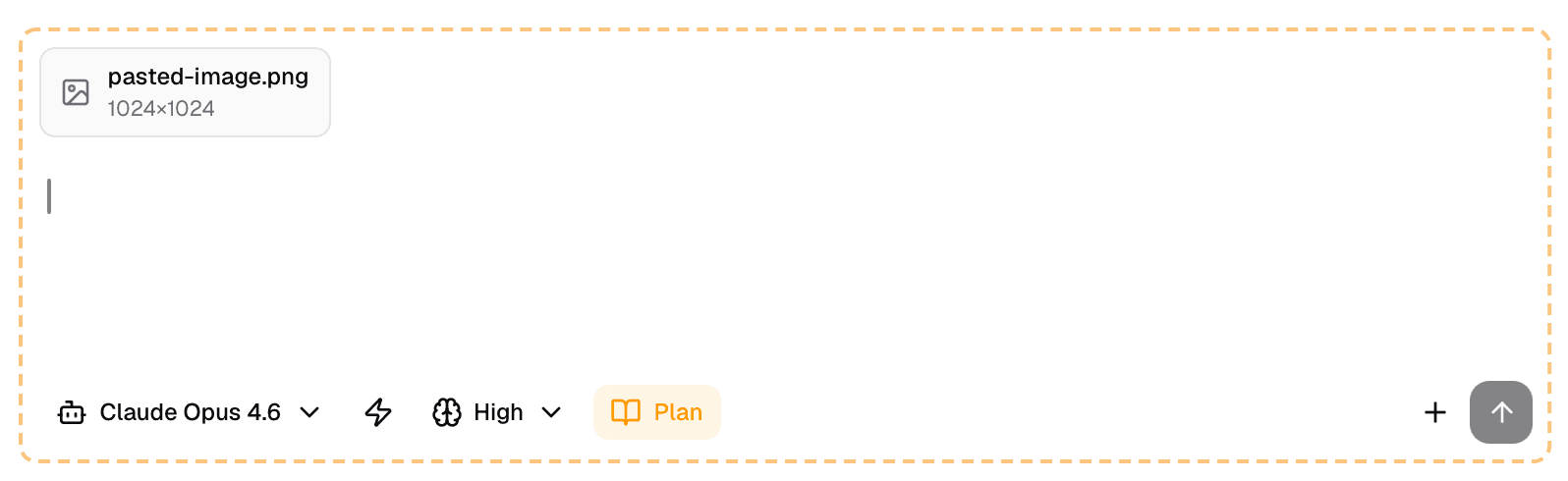
Paste Images Directly Into Chat
You can now paste images straight into the chat input with Cmd+V. Screenshots, diagrams, error messages — anything on your clipboard. No more saving to a file and dragging it in. Just copy, paste, and ask Claude about it.
Create Sessions from Anything
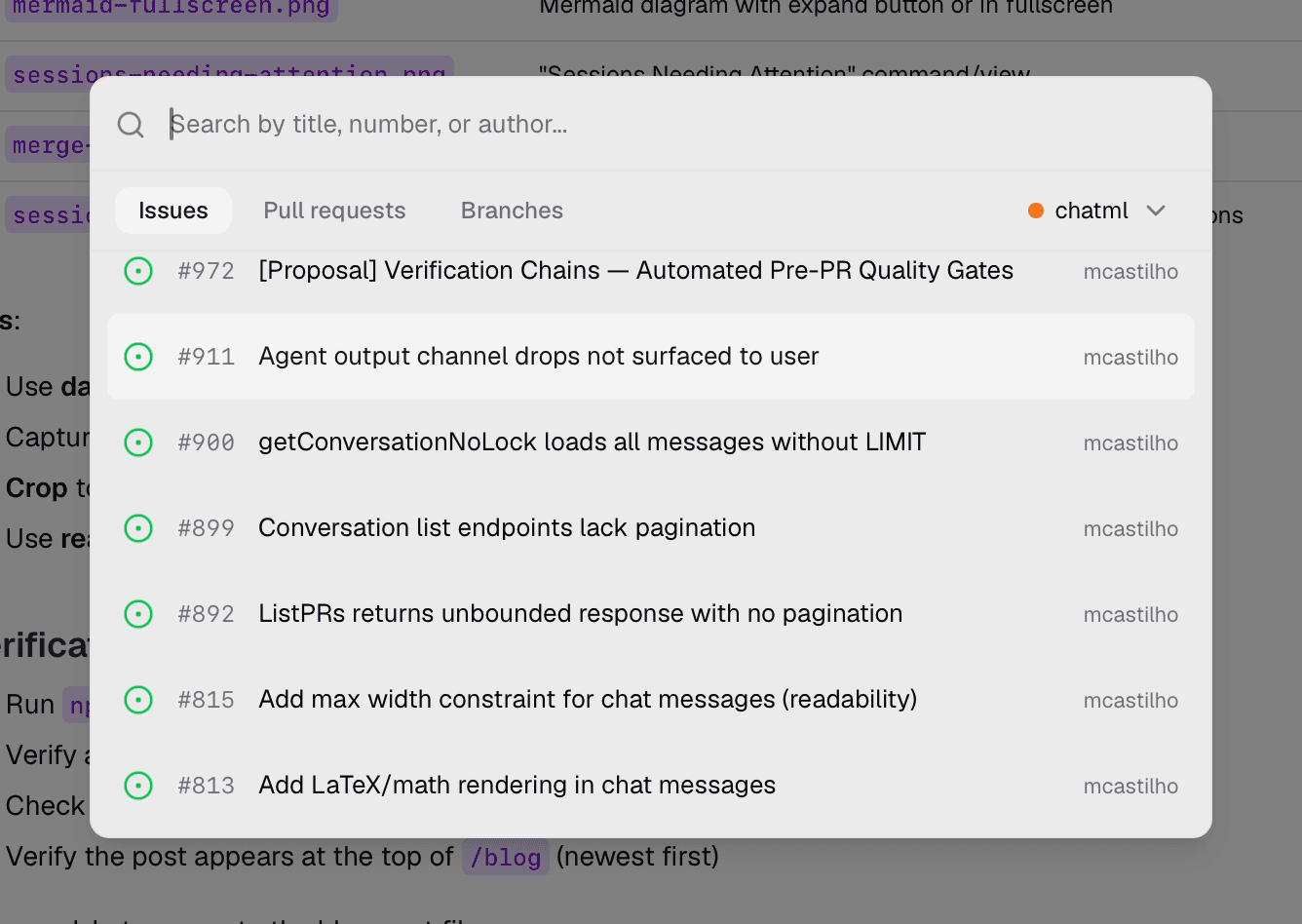
We unified session creation into a single "Create Session from..." modal with three tabs: Pull Request, Branch, and Issue.
Pick a PR and ChatML pulls in the diff context. Pick a GitHub or Linear issue and the issue description, comments, and labels are automatically attached to the session — giving Claude the full picture before you type a single message. Sessions are also automatically named based on the issue context, so your sidebar stays organized.
See Exactly What You're Spending
Every AI response now shows its token count and cost right below the message. No more guessing. You can see exactly how much each turn costs, spot expensive tool calls, and make informed decisions about which model to use for what.
1M Context Window and Fast Mode
Two big model upgrades landed this week:
- 1M context window is now enabled for Opus 4.6 and Sonnet 4.6. Longer conversations, bigger codebases, fewer context limits.
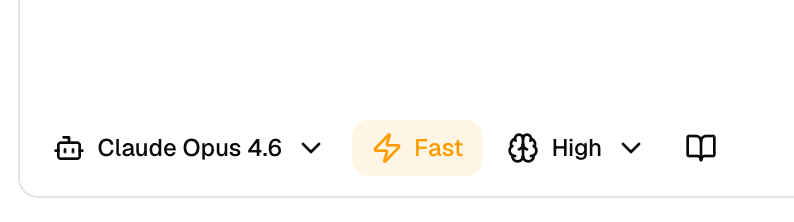
- Fast mode gives you Opus 4.6 with faster output when you need speed over maximum reasoning depth. Toggle it on for rapid iteration; toggle it off when you need the model to think harder.
Better Tool Visibility
We've made it much easier to see what Claude is doing under the hood:
- Grep and Glob tool calls now have specialized renderers that show search results clearly — no more raw JSON blobs.
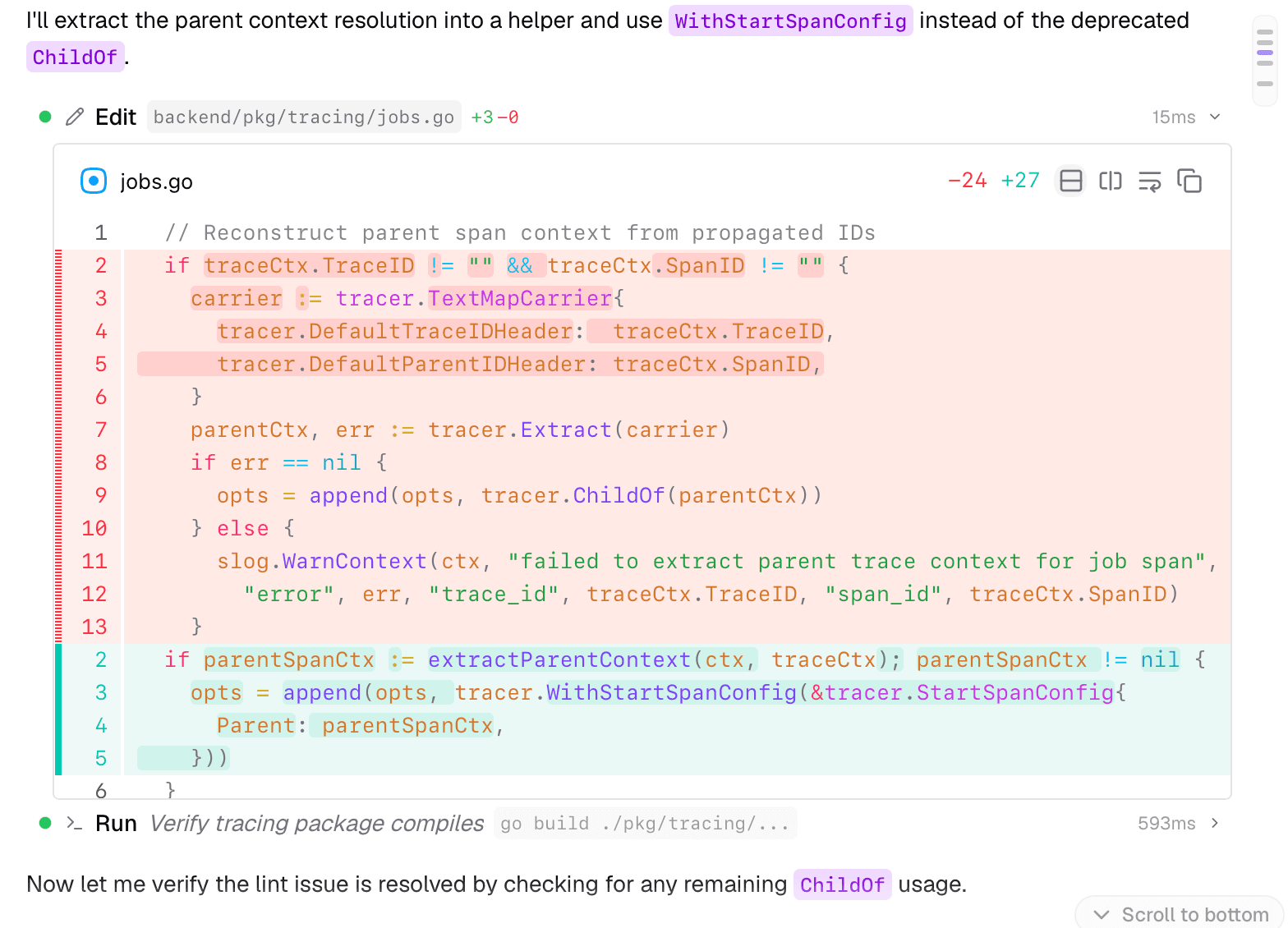
- Edit tool blocks auto-expand to show inline diffs by default. You can see exactly what changed without clicking anything.
- Auto-compact notifications now render inline in the conversation timeline, so you know when context compression happens.
Fullscreen Mermaid Diagrams
When Claude generates a Mermaid diagram, you can now expand it to fullscreen for a clearer view. Especially useful for complex architecture diagrams, flowcharts, and sequence diagrams that need room to breathe.
AWS SSO for Bedrock Users
If you're using ChatML with Amazon Bedrock, you no longer need to switch to a terminal to refresh your AWS SSO token. ChatML now handles the token refresh flow in-app — one less context switch in your day.
Sessions Needing Attention
A new "Sessions Needing Attention" command surfaces sessions that require your input — maybe Claude hit a permission prompt, a tool failed, or a review needs a response. Instead of checking sessions one by one, you get a single view of everything that's waiting on you.
Smarter Merge and Review
The merge experience got a meaningful upgrade:
- Specific blocker reasons: Instead of a vague "PR is blocked" message, you now see exactly why — "Requires 1 more approval", "CI checks failing", "Branch is out of date".
- Improved merge dropdown: Icons and group separators make the merge options easier to scan.
- Enriched review templates: All six review templates now include structured workflows and severity guidance, so AI reviews are more consistent and actionable.
Under the Hood: 25+ Performance Improvements
We spent a lot of time this week making ChatML faster. None of these are flashy, but you'll feel the difference:
- Instant session switching — conversation panes are now cached, so switching between sessions is immediate instead of requiring a re-render.
- Instant file opening — file contents are proactively prefetched and cached. Click a file, see it immediately.
- Faster startup — initial session loading now runs in parallel instead of sequentially.
- No more N+1 queries — a new workspace-level conversation endpoint eliminates redundant database calls.
- Smoother streaming — we split streaming selectors for fine-grained re-renders, and stabilized the virtualized message list to prevent unnecessary updates.
- Leaner bundle — removed the unused recharts dependency, saving ~800KB from the app bundle.
- Smarter indexing — added composite database indexes for the hottest queries and switched to O(1) lookups for active sessions.
These optimizations compound. Sessions load faster, files open instantly, streaming feels smoother, and the whole app is more responsive.
UX Polish
A bunch of smaller improvements that collectively make the experience better:
- Sessions table now shows workspace names and branch icons for easier navigation.
- Branch names use a consistent pill-style component across the entire app.
- Command Palette audit: we fixed broken commands and added 13 new entries.
- Find tool now shows a search icon in the conversation stream for better visual scanning.
What's Next
We're shipping fast — and we're not slowing down. If you want to follow along in real-time, star ChatML on GitHub or download the latest build to try everything above today.
More from the blog
Want to try ChatML?
Download ChatML